
Create your team
- 1character per game account
- 7 heroesalongside your main character
- Équipesto save your composition
Your first session · 2/3
Create your heroes, then save your team. A hero is one of your characters that you control from your main character’s window. They join your fights against monsters without opening another game window. You can start with two characters and expand your team later.
1. Create your heroes, one account at a time
In Incarnam, click the crown at the bottom left or press F1 outside combat to open Mes héros.
- Créer un héros. Click this button at the top of the window.
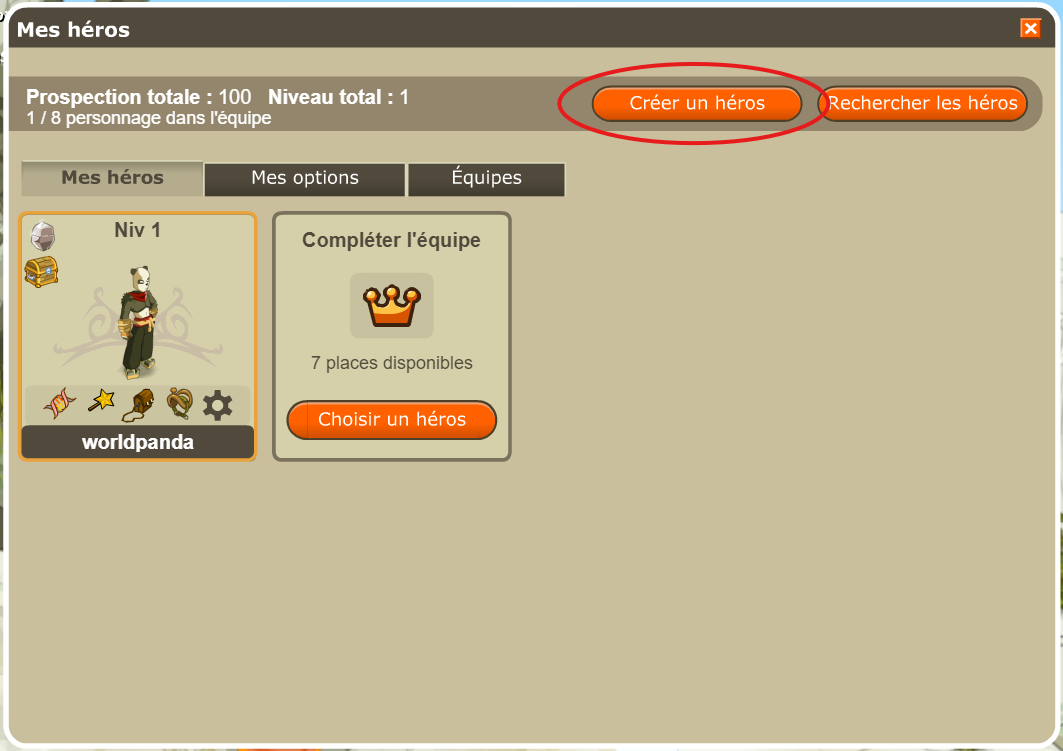
Your main character is already in the team. Add your first hero now. - Choose an available game account. The list shows all accounts with space, including those already represented in the team. The counter shows characters already created out of 5 possible. Select an account, then click Continuer.
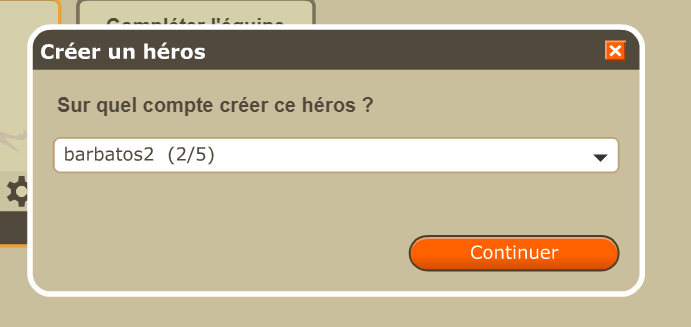
Use a different game account for every team member. - Create the character. This is the same screen you used for your main character: choose the class, name, appearance and colours, then click Valider.
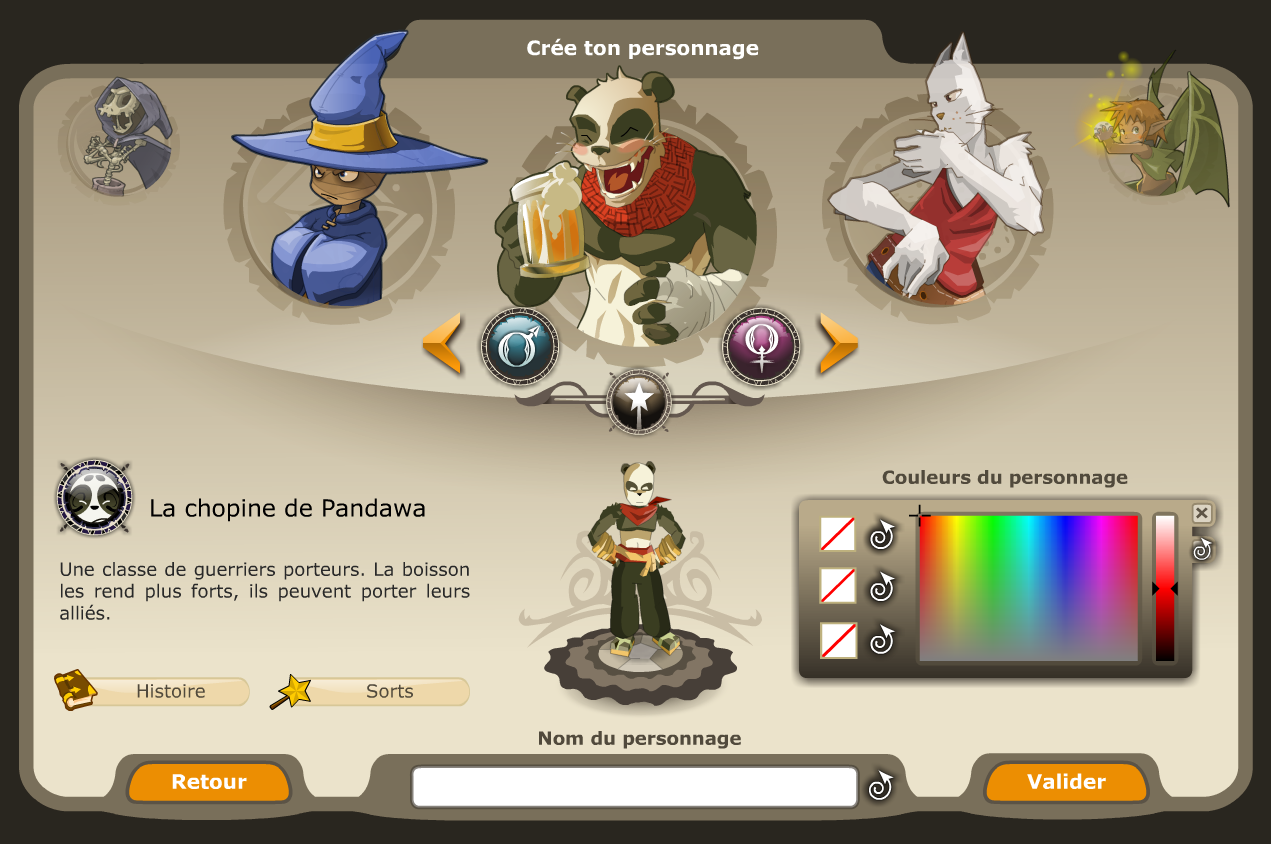
This screen creates the hero on the account you just selected. - Check that your hero has joined the team. Back in Mes héros, their card appears beside your main character. Repeat with accounts 3, 4… up to account 8 if you want a team of eight characters.
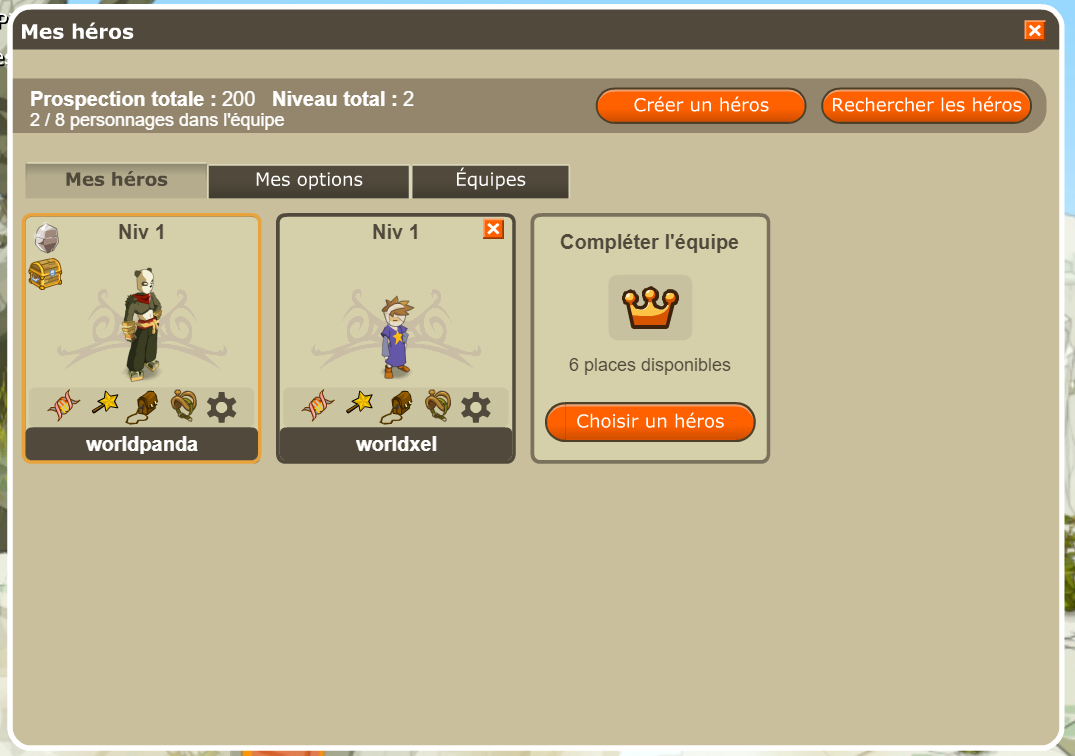
Your first hero has joined. Continue until your team is complete.
Every new character starts with their class spell, 20,000 pods and a bunch of keys.
Keep your heroes’ accounts logged out of the game. Every member must belong to a different game account linked to the same web account: one main character and up to seven heroes.
2. Save your team
Once you have created all your starting heroes, open the Équipes tab.
- Click Équipe actuelle to use the characters you have just gathered.
- Give your team a name and choose its icon.
- Click Sauvegarder: your team appears in the list on the left.
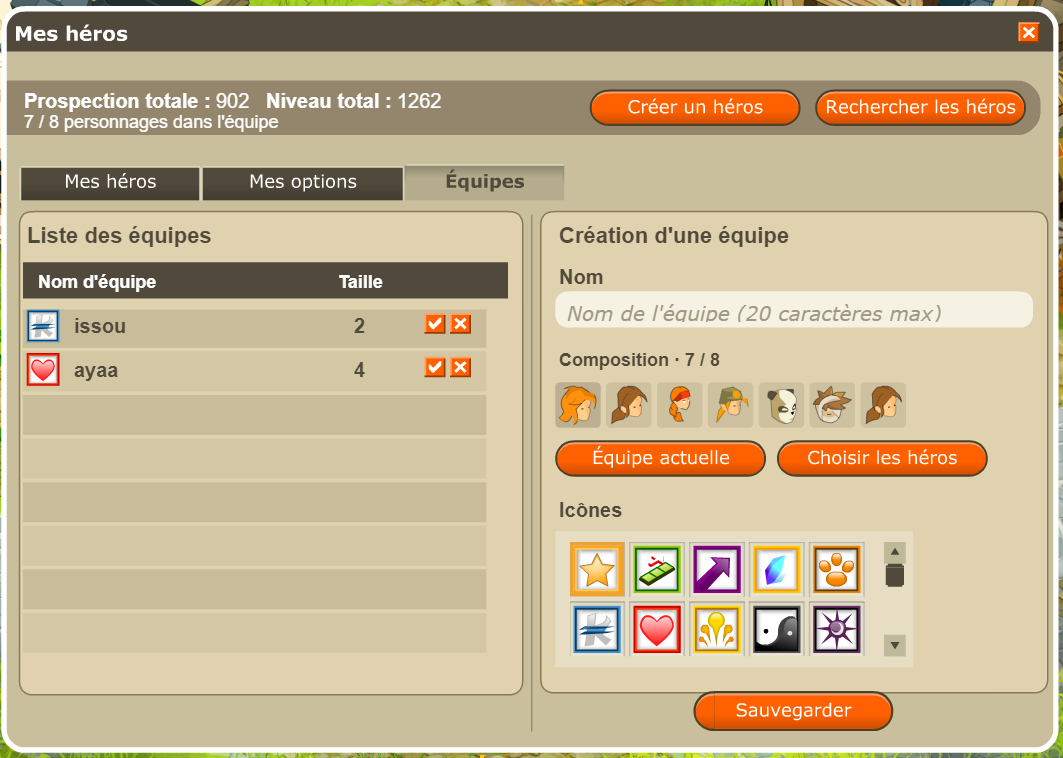
To bring your team back next time you log in: in Mes options, keep “Reformer la dernière équipe à la connexion” checked, then click Sauvegarder if you change an option. When you log in with the same main character, your last active team returns. Named teams remain available in the Équipes tab.
3. Find the useful options
You can already move on to your first fight. These settings remain available in Mes héros.
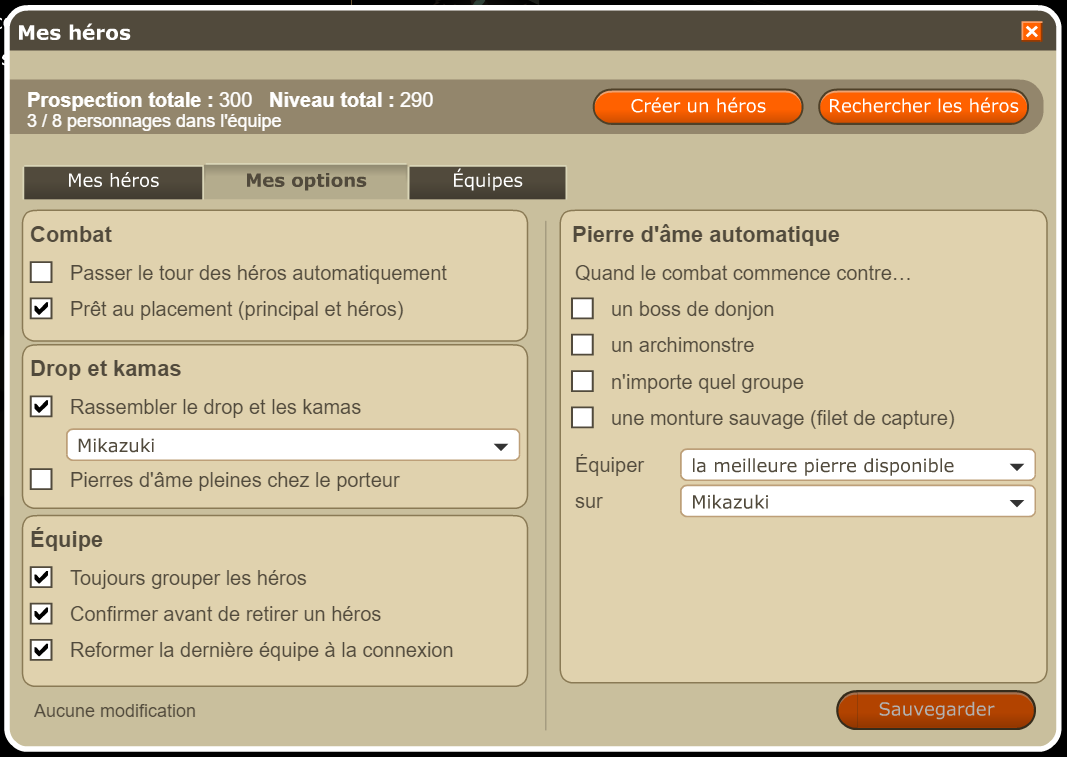
Show Mes options and a hero’s shortcuts
- Passer le tour des héros automatiquement: ends each hero’s turn as soon as it starts; leave unchecked while learning.
- Prêt au placement (principal et héros): starts the fight automatically after placement; leave unchecked while learning.
- Rassembler le drop et les kamas: sends team rewards to the character selected in the list; choose your main character.
- Pierres d’âme pleines chez le porteur: also stores filled soul stones on the selected carrier.
- Toujours grouper les héros: keeps your heroes grouped with your main character.
- Confirmer avant de retirer un héros: asks before removing one from the group.
- Reformer la dernière équipe à la connexion: restores your last played lineup when you log in with the same main character.
- Pierre d’âme automatique: choose whether to capture dungeon bosses, archmonsters, any group or wild mounts.
- Équiper la meilleure pierre disponible: selects a suitable stone and the character who carries it.
- Click Sauvegarder after changing any setting.
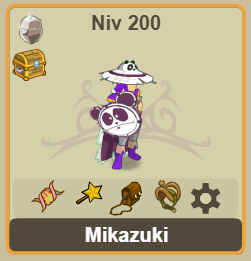
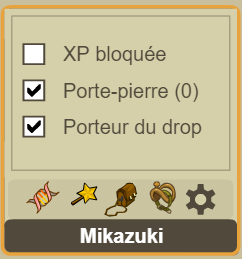
On a character’s card, the DNA icon opens characteristics, the star opens spells, the bag opens inventory and the head opens mounts. The cog opens character settings: lock their combat XP, choose them to carry a soul stone or gather loot on them.
All Hero Mode settings and features →
4. Start your first fight
Your team is ready. Choose a small group in Incarnam and learn to position your characters, play their turns, then collect your XP and loot.
Follow the steps for my first fight →
After your first victory: look for Adventurer Set pieces, then meet Metag Robill at Astrub’s tavern at level 20 to start the Tour du monde quest.
Continue: my first levels →